Generate Payment Link
The Payment Link section allows you to create and manage payment links for your transactions 🔗💳.
This feature is useful for businesses that want to provide a seamless payment experience for their customers 🛍️.
🛠️ Steps to Create a Payment Link
To create a payment link, follow these steps:
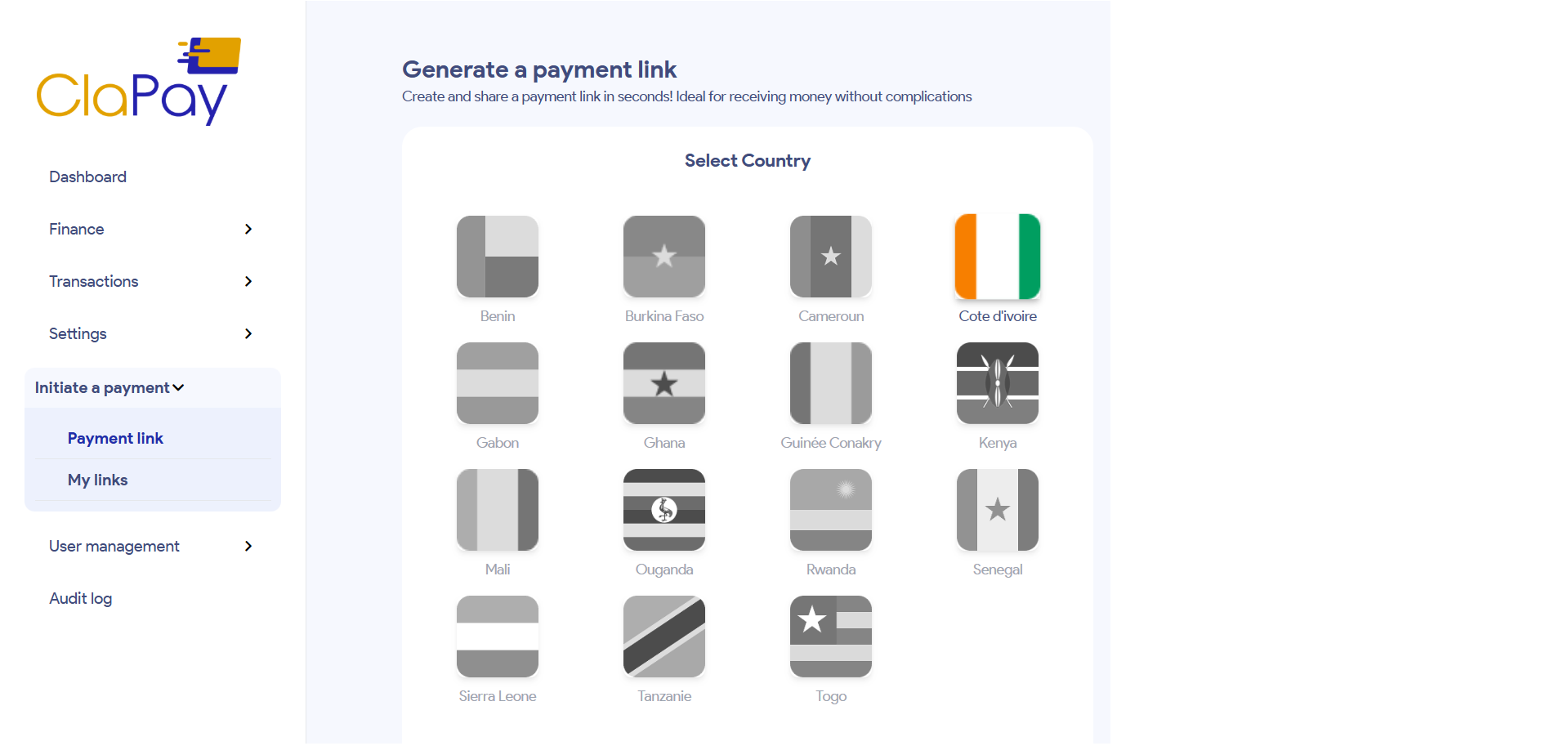
1️⃣ Select the Country 🌍
Choose the country where the payment will be processed. This is important as it may affect the available payment methods and currencies 💱.
Click on one country flag of the list of countries available 🏳️.
2️⃣ Select the Operator 🧾
Choose the operator that will process the payment. This is typically a payment gateway or processor that you have integrated with your system ⚙️.
- You can choose multiple operators from the list that appears ✅.
- The list of available operators is linked to the selected country 📍.

3️⃣ Additional Information (Optional) 📝
You can add additional information to the payment link, such as a description or custom fields. This information can help you identify the purpose of the payment link or provide additional context to your customers 🧠.

4️⃣ Advanced Configuration (Optional) ⚙️
You can configure advanced settings for the payment link, such as expiration date ⏳, amount 💰, currency 💱, and more. This allows you to customize the payment experience for your customers 🎯.

5️⃣ Generate the Payment Link 🚀
Once you have filled in all the required fields and configured the settings, click on the Generate Payment Link button. This will create a unique payment link that you can share with your customers 📩.

Was this page helpful?